-
01
Load a loop
Drop a WAV, AIFF, FLAC or MP3 on one of the eight tracks. A file longer than ten seconds opens an import page where you keep the part you want, up to twenty seconds.
-
02
Chop it
Slice on the grid, at the transients or by hand. Markers snap to zero crossings and each slice gets a short fade, so nothing clicks.
-
03
Play it differently
Reorder, repeat, mute and reverse the slices. Give a single hit its own pitch, envelope or filter, or turn it into a roll. Each track keeps four variations of its pattern.
For macOS. Windows coming soon
A small DAW for chopping samples.
Eight tracks, one sample on each. Slice a loop, rearrange the pieces, lay them out on a timeline and mix them through your VST3 effects.
Public beta. Free during the beta.
How it works
Load a loop, cut it into slices and play them back in a different order.
Screens
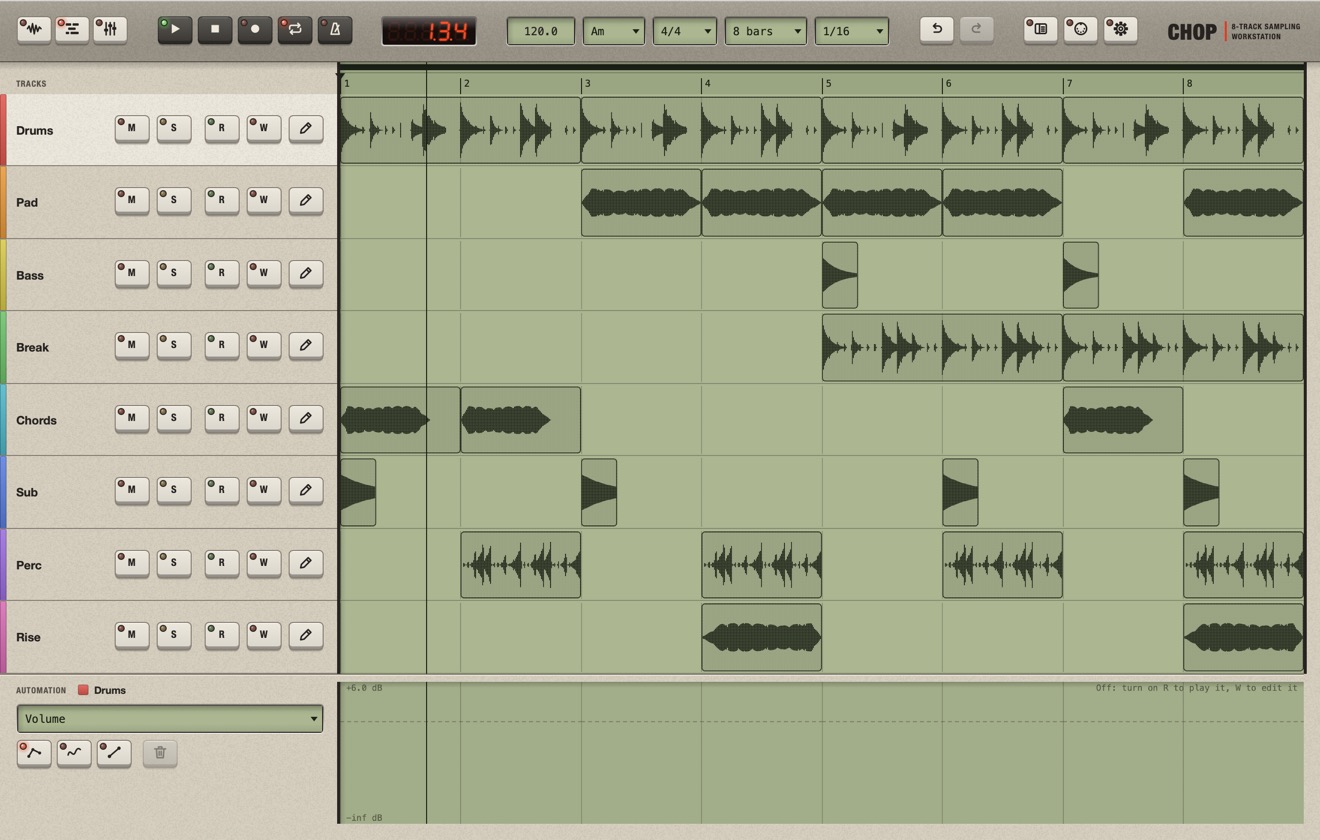
You edit a track in Sample, arrange it in Multitrack and mix it in Mixer.


Features
Every parameter can be moved while it plays, mapped to a MIDI knob and undone.
Samples
- WAV, AIFF, FLAC and MP3, mono or stereo
- Drag and drop, or the built-in browser with folders, favourites, recent files, search and preview
- Long files: keep a piece of up to 20 s on an import page
- Record the audio input to make a new sample
- Normalize and reverse without touching the file
- A file edited in another program reloads when you come back
Chopping
- Slices on a grid, at the transients (with a sensitivity slider) or by hand
- Zero-crossing snap and anti-click fades
- Drag a marker to trim a slice in place
- Pitch, gain, reverse, envelope and filter per slice
- Copy one slice's settings to another, or to all
- Up to 128 slices per track
Sequencing
- Reorder, repeat and mute, on the grid or free
- Overlapping blocks cut or crossfade
- Resize a block: stretched, varispeeded or cut
- Pitch, gain, envelope and filter per block, on top of the slice
- Rolls down to 1/64, with triplets, decay and pitch ramps
- Select several blocks with Cmd or Shift and edit them together
- Swing per track, 50 to 75 %
Variations
- Four per track, A to D: fills and breaks without spending tracks
- Edit each one on the Sample screen; in the Multitrack every part chooses the one it plays
- Change a variation and every part playing it follows
- They share the sample, slices and mixer; each has its own blocks
- Create one as a copy of another, or clear it
Tempo
- Time-stretch that keeps the pitch
- Varispeed, like a turntable
- Beats: slices moved to the tempo, REX-style
- Loops fitted to whole bars, or at their original speed
- Pitch that leaves each slice's length alone
- Mono or poly, 16 voices per track
- BPM, time signature, metronome and a grid from 1/1 to 1/64
- Band-limited resampling; knobs glide, so nothing clicks
Arranging
- Parts placed, moved and copied, each one playing a variation
- Trim a part with the markers on the waveform ruler
- Loop range and play cursor on the ruler
- Mute, solo, name and colour per track
- Duplicate a track's content into an empty track
- Drop a file on a track to load it there
Automation
- One lane per part: volume, pan, sends, insert on/off, pitch and EQ gains
- Draw with points, lines or a pencil
- Or record a MIDI controller, latched until Stop
- Read and Write per track
- Move a part and its automation goes with it
Mixing
- 8 channels, 4 returns and a master
- LED peak meters with clip lights
- Console-style faders, 0 dB at three quarters of the travel
- Channel EQ: high-pass, low-pass, two shelf or bell bands and two mids
- 4 sends per track, 2 before the fader, 2 after
- Rename strips by double-clicking
Plugins
- 4 VST3 inserts on every track, return and the master
- Scanned in a separate process; a plugin that fails is skipped
- A page to scan, add folders, enable and disable
- Plugins follow the tempo and the position
- Automatic delay compensation and click-free bypass
- Undo brings a removed plugin back with its settings
MIDI
- Right-click any control, turn a knob, done
- Knobs can follow the selected track or slice
- Relative encoders and 14-bit CC
- A mappings page with range, invert and curve
- MIDI never plays notes, it only moves controls
Projects and export
- Undo for every edit
- Sample paths relative to the project; Collect Samples gathers them; Open Recent
- Autosave every 5 minutes, recovery after a crash
- A crash report you send yourself; a plugin that crashes can be switched off
- Export the mix, stems or single slices to WAV, with an optional 2 s tail
- Resample a track through its effects into a free track
Interface
- A late-80s sampler look: LCDs, LEDs, a seven-segment readout
- Resizable window, full screen, zoom from 75 to 150 %
- Icon buttons with the name and shortcut in a tooltip
- The layout follows the window size: wider columns, more room for the waveform
Not included
No piano roll, MIDI tracks, step sequencer or pads. No free clips and no recording on the timeline. No built-in effects apart from the channel EQ, and no more than eight tracks. Chop is not a plugin either: it runs on its own and exports stems for the DAW you already use.
Specifications
| Tracks | 8, one sample each |
|---|---|
| Variations | 4 per track |
| Slices | Up to 128 per track |
| Voices | 16 per track, mono or poly |
| Sample files | WAV, AIFF, FLAC, MP3, mono or stereo |
| Sample length | Up to 20 s |
| Time-stretch | Signalsmith Stretch |
| Mixer | 8 channels, 4 returns, master |
| Per strip | 4 VST3 inserts, channel EQ |
| Sends | 4 per track |
| MIDI | CC learn on every control, 14-bit, relative |
| Export | WAV, 16-bit dithered, 24-bit or 32-bit float |
| macOS | macOS 11.5 or later, Apple silicon only (M1 or better) |
| Windows | Coming soon |
| Memory | 8 GB of RAM |
| Screen | 1440 × 900 or larger |
| Audio | Any audio device your system supports; an input only to record |
| Price | Free during the beta |
Questions
When can I get it?
Chop is in public beta. The macOS version is available now: download it from this page.
How much does it cost?
Nothing during the beta.
What do I need to run it?
A Mac with Apple silicon (M1 or better) and macOS 11.5 or later. Intel Macs are not supported. A Windows version is coming soon. You also need 8 GB of RAM and a screen of at least 1440 × 900. The full list is in the specifications.
Which plugins can I use?
VST3 effects, in four insert slots on every track, return and on the master. Plugins are scanned in a separate process, so one that crashes during the scan is skipped instead of taking Chop down.
Can I play slices from a MIDI keyboard?
No. MIDI in Chop moves controls: right-click a knob, turn one on your controller and they're linked. Slices play from the sequence.
Can I use it with my DAW?
Chop is a standalone app, not a plugin. Export the mix, one WAV per track or the single slices of a track, and drag them into your DAW.
Can I record?
Only to make samples. Rec records the audio input for up to ten minutes, then you keep a piece of up to twenty seconds and chop it like any other sample.
Why only eight tracks?
Each track is one player with a fixed set of voices, so every control answers the mouse or a MIDI knob at once. Eight is enough for a beat and small enough to keep the app simple.
Public beta, out now.
Chop is in public beta. It is free for the whole beta, on macOS first. Windows follows soon.